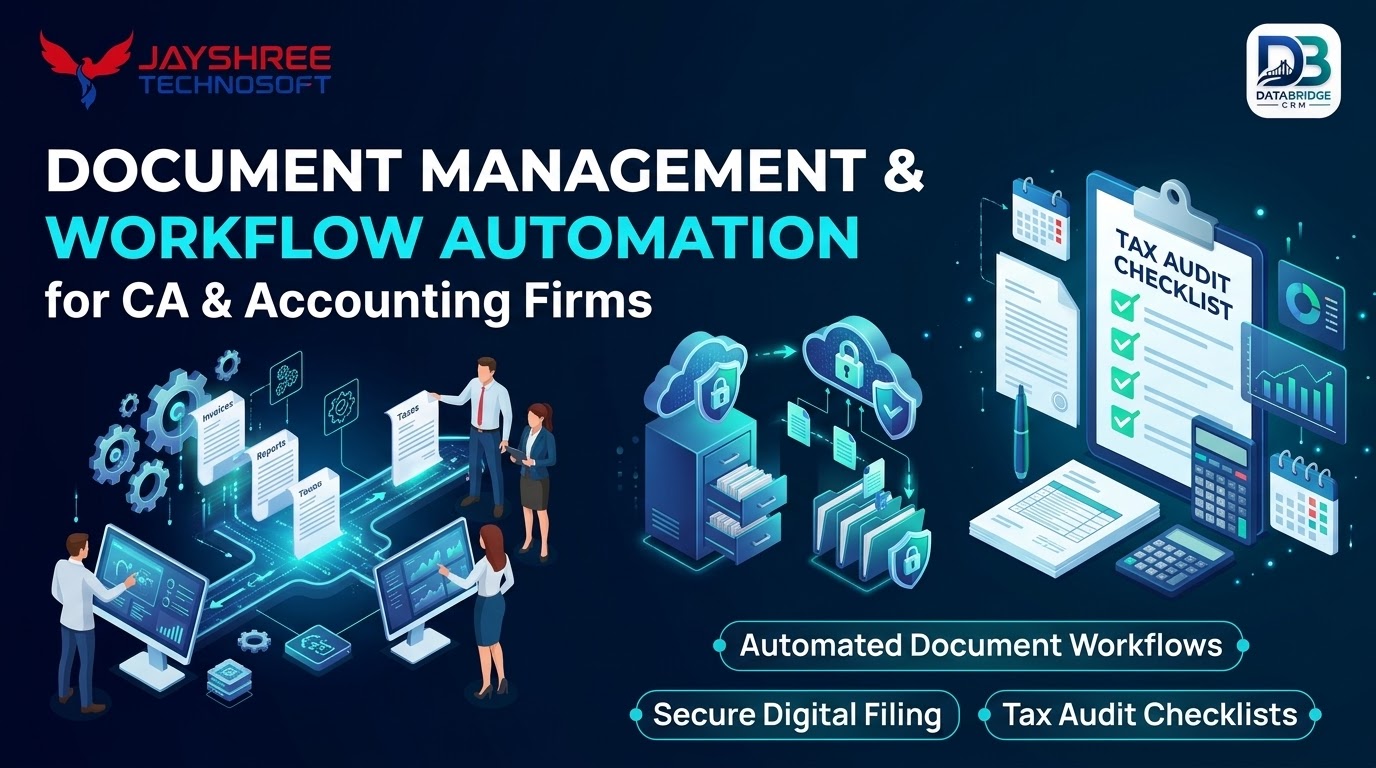
CA firms receive documents through email, WhatsApp, pen drives and courier. Staff then search for files, ask clients again and lose time before every filing. Document management with workflow automation reduces this friction. This guide explains how to plan CA firm workflow automation using CA practice management software.
Standardise Your Folder Structure
Use a consistent structure such as client, financial year, service and document type. Consistent naming makes search faster and onboarding of new staff easier. Avoid personal folders that only one person understands.
Create Document Checklists
For each service, prepare a checklist of required documents: for example bank statements, purchase and sales data, previous returns and registrations. Send the checklist with a due date and track what has been received so no one needs to chase manually.
Automate Recurring Tasks
- Generate monthly and quarterly tasks from client service templates
- Assign preparer and reviewer automatically
- Set internal due dates ahead of statutory dates
- Send reminders to clients and staff
- Escalate overdue tasks to partners
Always verify current statutory dates from official sources and update templates when they change.
Review and Approval Flow
- Preparer completes work and attaches working papers
- Reviewer checks and comments
- Partner approves where needed
- Filing is done and acknowledgement stored
- Task is closed and invoice triggered
Access Control and Confidentiality
Use role-based permissions so staff see only assigned clients. Keep audit logs, enable backups and restrict downloads where appropriate. Whether you are evaluating CA tools or broader ERP software Jaipur options, confidentiality must be a deciding factor.
Client Portal and Communication
A portal or secure link lets clients upload documents, view requests and see status, reducing email and calls. Keep messages short and consistent, and record all communication against the client.
Technical Approach We Recommend
For most law / ca management projects, a web-based application with a clean API layer, a mobile-friendly interface and cloud hosting gives the best balance of cost, flexibility and maintenance. Keep business rules in one place, use standard integrations where possible and design the database around your real records: customers, transactions, stock, tasks and documents. Avoid building features that no user has asked for, and prefer simple, well-documented components that another team could maintain later.
Testing and Quality Checklist
- Every workflow tested with your real data and edge cases
- Role and permission checks for each user type
- Performance checks with realistic record volumes
- Mobile and browser compatibility checks
- Backup and restore test before go-live
- User acceptance sign-off by your own team
Security and Data Protection Basics
- Role-based access so each user sees only what they need
- Encrypted connections and careful password handling
- Regular automated backups and a tested restore process
- Audit logs showing who changed what and when
- Clear ownership of your data and an easy way to export it
What Affects Timeline and Cost
There is no single price, because every project differs. The main drivers are the number of modules, the complexity of business rules, the number of integrations, the need for mobile apps, the volume of data to migrate and the depth of reporting. Delivering in phases, starting with the core workflow, keeps the first investment manageable and lets real usage guide what you build next.
After Launch: Support and Improvement
Software needs care after go-live. Plan for bug fixes, security updates, small enhancements and periodic reviews of how the system matches your evolving process. A clear support arrangement, including response times and channels, matters as much as the original build.
Key Takeaways
- Focus on one area at a time: standardise your folder structure
- Focus on one area at a time: create document checklists
- Focus on one area at a time: automate recurring tasks
- Focus on one area at a time: review and approval flow
- Focus on one area at a time: access control and confidentiality
Steady, measured improvements beat one-time big changes, so start small and review results regularly.
What to Prepare Before You Talk to a Software Company
- A one-page description of how work flows in your business today
- The three problems that cost you the most time or money
- A list of tools and data you already use
- The number of users, branches and devices
- Your budget range and ideal launch window
- A few sample documents, reports or bills you want to keep
Clear inputs lead to a more accurate proposal and a smoother project. A good vendor will also help you prioritise what to build first.
Ready-Made Option: DataBridge CRM
Not every business needs custom software from day one. DataBridge CRM (databridgecrm.com) is a ready platform for managing customers, enquiries, follow-ups, communication and reports. Many law / ca management businesses start with it for the core workflow and add custom modules or integrations later, which keeps the first investment manageable. Jayshree Technosoft can help you configure it, integrate it with your existing tools and train your team.
Looking for CRM or ERP Software in Jaipur?
If you are searching for CRM software Jaipur, ERP software Jaipur or CRM software for small business India, look for a partner who understands your process, not just a product demo. Local businesses in Jaipur, Rajasthan and across India benefit from clear scoping, phased delivery, practical training and responsive support after launch.
Why Jayshree Technosoft?
Jayshree Technosoft is an IT consultancy that plans, builds and implements business software around your workflow. We start with discovery, document requirements, deliver in phases and support you after launch. For marketing support alongside your software, you can also look at Suriya Advertisement. Contact Jayshree Technosoft for a free consultation.
Frequently Asked Questions
Can workflows differ by client type?
Yes. Templates can vary for individuals, companies, partnerships and trusts.
How do I migrate existing client folders?
Map old folders to the new structure and migrate active clients first.
Is e-signature supported?
Many platforms integrate with e-signature tools; check specific options.
Can the system track billing?
Yes. Tasks and time entries can feed invoicing.
Can I try DataBridge CRM before buying?
You can request a demo at databridgecrm.com to see how the platform fits your workflow before you decide.
Have a requirement in mind? Share it with Jayshree Technosoft, or explore databridgecrm.com to see a ready platform first.