A garage is a small factory. Vehicles come in, parts are drawn from stock, mechanics work in turns, and an invoice goes out at the end. When that process is managed with registers and phone calls, owners lose time and information. Many then look for software, and a common question follows: should we buy a ready-made product or build something around our own workflow?
For many workshops, a ready-made product is enough. For others, such as multi-brand service chains, EV service centres, fleet maintenance providers or garages with unusual billing and approval steps, a custom build makes more sense. This guide explains how custom garage management software development works, what modules to plan, how Android, Windows and iOS apps fit in, and what to prepare before talking to a development partner.
When a Garage Needs Custom Software
Standard garage software covers the common workflow well. Custom development becomes worth considering when:
- Your business model does not match a standard template. For example, you run a mix of service, spare parts sales, rentals and roadside assistance.
- You need integrations with systems you already use, such as accounting software, a payment gateway or a parts supplier.
- You operate several branches with different pricing, roles or approval rules.
- You want a branded customer app for bookings, status updates and service history.
- You expect the business to scale and want a system that grows with it.
If none of these apply, it is worth testing a ready-made garage management system first. A good development partner will tell you this honestly.
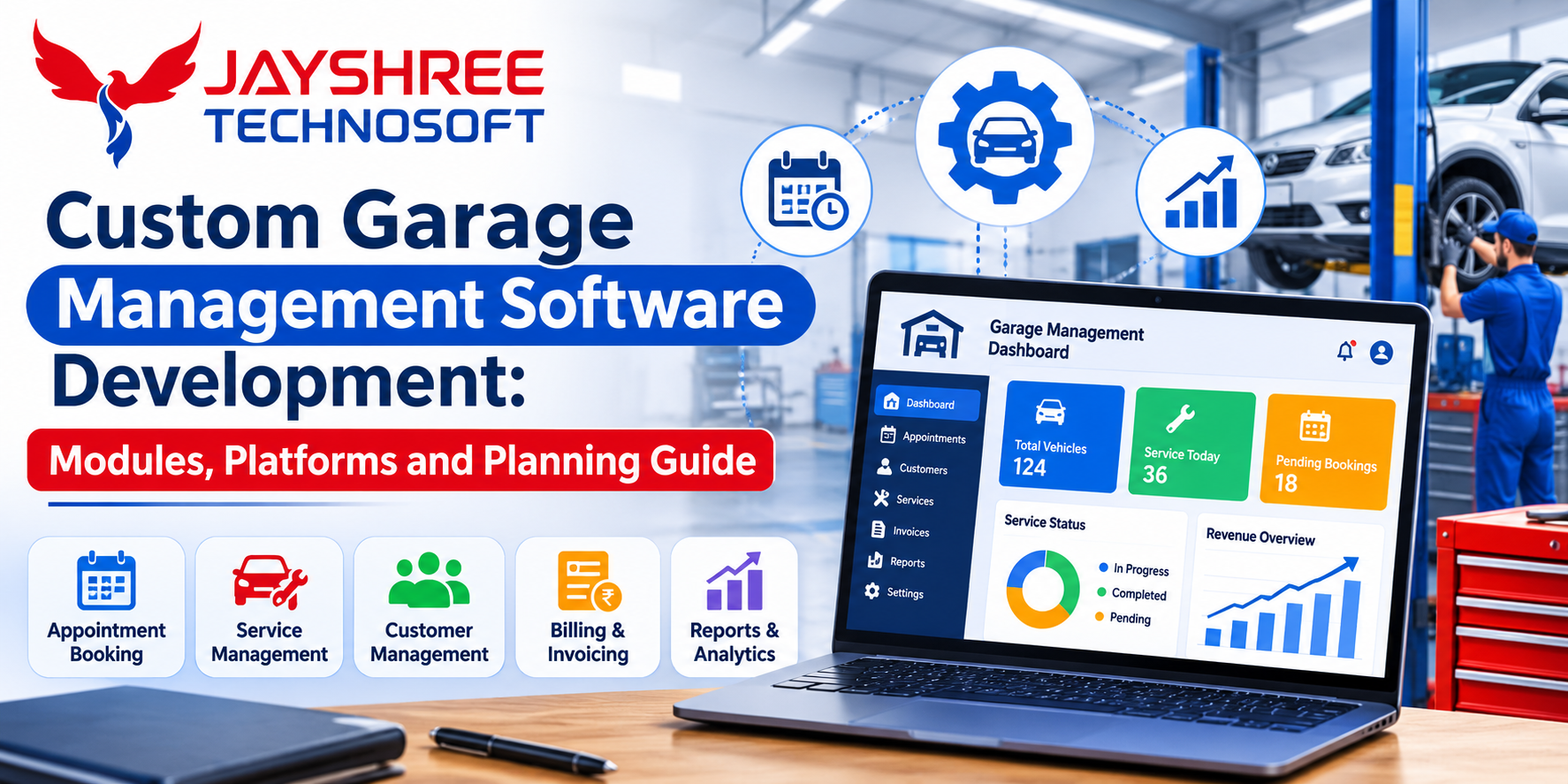
Core Modules to Plan in a Garage Management System
The exact scope depends on your business, but most garage and workshop systems share a common set of building blocks.
Customer and Vehicle Records
A clean database linking each customer to one or more vehicles, with registration number, model, odometer reading and contact details. Good data design here makes every other module easier.
Job Card and Repair Order Management
The heart of the system. A job card should capture the complaint, inspection notes, assigned mechanic, status, parts used and labour. Planning the status stages carefully, such as received, inspected, awaiting approval, in progress, ready and delivered, saves a lot of rework later.
Inventory and Spare Parts
Stock in and out, supplier records, reorder levels and part allocation to jobs. If you sell parts over the counter, this module should connect with billing.
Quotation, Billing and Invoicing
Estimates, approvals, tax calculation and invoices. Billing rules in India often involve GST, so these should be reviewed with your accountant during requirement analysis.
Service History and Reminders
A timeline per vehicle, plus reminders for the next service or warranty expiry sent by SMS, email or WhatsApp. The message channel is an integration decision to discuss early.
Reports and Dashboards
Daily jobs, pending deliveries, revenue by service type, mechanic workload and stock alerts. Decide which numbers the owner checks every morning and design the dashboard around those.
Roles and Permissions
Front desk, mechanic, accountant, branch manager and owner each need different access. Role-based access also protects customer and billing data.
Android, Windows and iOS: Choosing Platforms
One of the most common planning mistakes is trying to build for every platform at once. A better approach is to match each platform to the people who will use it.
Windows Desktop or Web Application
Billing counters and front desks in India still run mostly on Windows PCs. A desktop-style or browser-based application works well here for job card entry, invoicing and reports. Jayshree Technosoft lists web development among its services. Whether a Windows installable application is the right choice, or a web application accessed through the browser, should be decided during discovery.
Android App
Android devices are common among mechanics, supervisors and customers. An Android app can support quick status updates, photo uploads of damaged parts, service reminders and customer bookings. Jayshree Technosoft offers Android development and lists Kotlin and the Android SDK among its technologies.
iOS App
Owners and some customers use iPhones, so an iOS app may be useful for approvals, reports and a customer-facing booking app. Jayshree Technosoft offers iPhone development and lists Swift and the iOS SDK.
Cross-Platform Option
The company also lists Flutter and React Native for cross-platform development. A single codebase can serve both Android and iOS and may reduce effort, though the right choice depends on features such as camera use, offline storage and performance needs.
A Simple Platform Plan
- Phase 1: Core web or Windows-friendly system for the front desk and owner.
- Phase 2: Android app for mechanics and supervisors.
- Phase 3: Customer app for Android and iOS, once the internal workflow is stable.
This staged approach limits risk and lets the business learn from real use before spending on the next phase.
Technical Considerations Before You Build
Architecture and Scalability
Separate the data layer, business logic and user interface so you can add platforms later without rewriting everything. A well-designed API makes it easier to connect Android, iOS and web clients to the same backend. Jayshree's site lists backend technologies including Node.js, Laravel, PHP, Python, MySQL and MongoDB, and cloud platforms such as AWS, Azure and GCP.
Offline Use
Some workshops have unreliable internet. Decide which actions must work offline, such as viewing job cards or logging inspection notes, and how data syncs later.
Integrations
List every system the software should talk to: accounting tools, payment gateways, SMS or WhatsApp providers, parts catalogues, GPS or telematics. Each integration adds scope and should be confirmed with the third party's requirements.
Data Migration
If you already keep customer and vehicle data in spreadsheets or another software, plan how it will be cleaned and imported.
Security and Privacy
Customer details, vehicle records and billing data need protection. Discuss access control, backups and hosting during planning.
Practical Examples
- A multi-brand car service centre wants separate approval rules for insurance jobs and walk-in jobs. A custom workflow with its own status stages handles this better than a fixed template.
- A bike service chain wants a customer app where riders can book a slot and see their service status. This needs an Android and iOS app connected to the same backend as the front desk system.
- A tyre and wheel centre wants to link stock, sales and fitting appointments. A custom inventory and scheduling module could be scoped around this.
- A spare parts dealer wants billing, stock and purchase orders in one system, accessed on a Windows PC at the counter and on a phone by the owner.
These are planning scenarios to show how requirements shape scope. They are not descriptions of completed client projects.
How the Development Process Works
Jayshree Technosoft describes a five-step approach: discovery and analysis, design, development, testing and QA, and launch and support. For a garage project, that typically means:
- Discovery: Understand your workshop flow, roles, billing rules and pain points.
- Design: Create screens and user journeys for each role and platform.
- Development: Build modules in stages, with regular reviews.
- Testing: Check job card flows, billing calculations, permissions and device behaviour.
- Launch and support: Deploy, train staff and improve based on real use.
What to Prepare Before Contacting a Development Company
- A short description of how a vehicle moves through your workshop today.
- Sample job cards, invoices and reports you currently use.
- A list of roles and what each person should see.
- Platforms you want: Windows, Android, iOS or web.
- Existing tools you need to connect with.
- Your priorities for the first release versus later phases.
Bringing these makes the first conversation far more useful and leads to a clearer scope.
Choosing a Development Partner
Look for a team that asks about your workflow before suggesting technology, explains trade-offs between platforms, gives you a phased plan and is open about what is and is not included. Ask about testing, post-launch support, and who owns the source code.
Conclusion
Custom garage management software makes sense when your workflow, integrations or growth plans go beyond what a ready-made product offers. Start with the core: customers, vehicles, job cards, parts and billing. Choose Windows, Android and iOS based on who uses the system and where. Build in phases and keep each release focused.
If you are planning garage or workshop software, talk to the Jayshree Technosoft team. Share your workflow and platform needs, and we can help you scope the right solution. Contact us through our website to start the conversation.
L. Five FAQs
1. What is custom garage management software? It is software built around a specific garage's workflow, covering job cards, customers, vehicles, parts, billing and reports, rather than using a fixed ready-made template.
2. Can the software work on Android, Windows and iOS? Yes, it can be planned for these platforms. The best mix depends on who uses it. Many projects start with a web or desktop system for the front desk and add mobile apps in later phases.
3. How long does garage software development take? Timelines depend on scope, number of modules, platforms and integrations. A discovery phase gives a realistic estimate for your project.
4. Should I choose native or cross-platform apps? Native apps suit features that rely heavily on device capabilities. Cross-platform tools such as Flutter or React Native can reduce effort for Android and iOS. A technical review of your requirements will guide the choice.
5. What should I prepare before approaching a development company? Your current workflow, sample documents, roles, platform needs, integrations and phase-wise priorities.
#JayshreeTechnosoft #CustomSoftwareDevelopment #GarageManagementSoftware #AutomotiveSoftware #AppDevelopment
custom garage management software, garage software development company, auto service application development, workshop ERP development, vehicle management software, Android app development, iOS app development, Windows software development, software company in Jaipur, Jayshree Technosoft
Recent Articles
Custom Real Estate CRM and Property Software Development: Features, Platforms and Planning Guide
Custom Law Firm CRM and CA Practice Software Development: A Planning Guide
Repair Shop Management Software Development: Modules, Platforms and Planning Guide